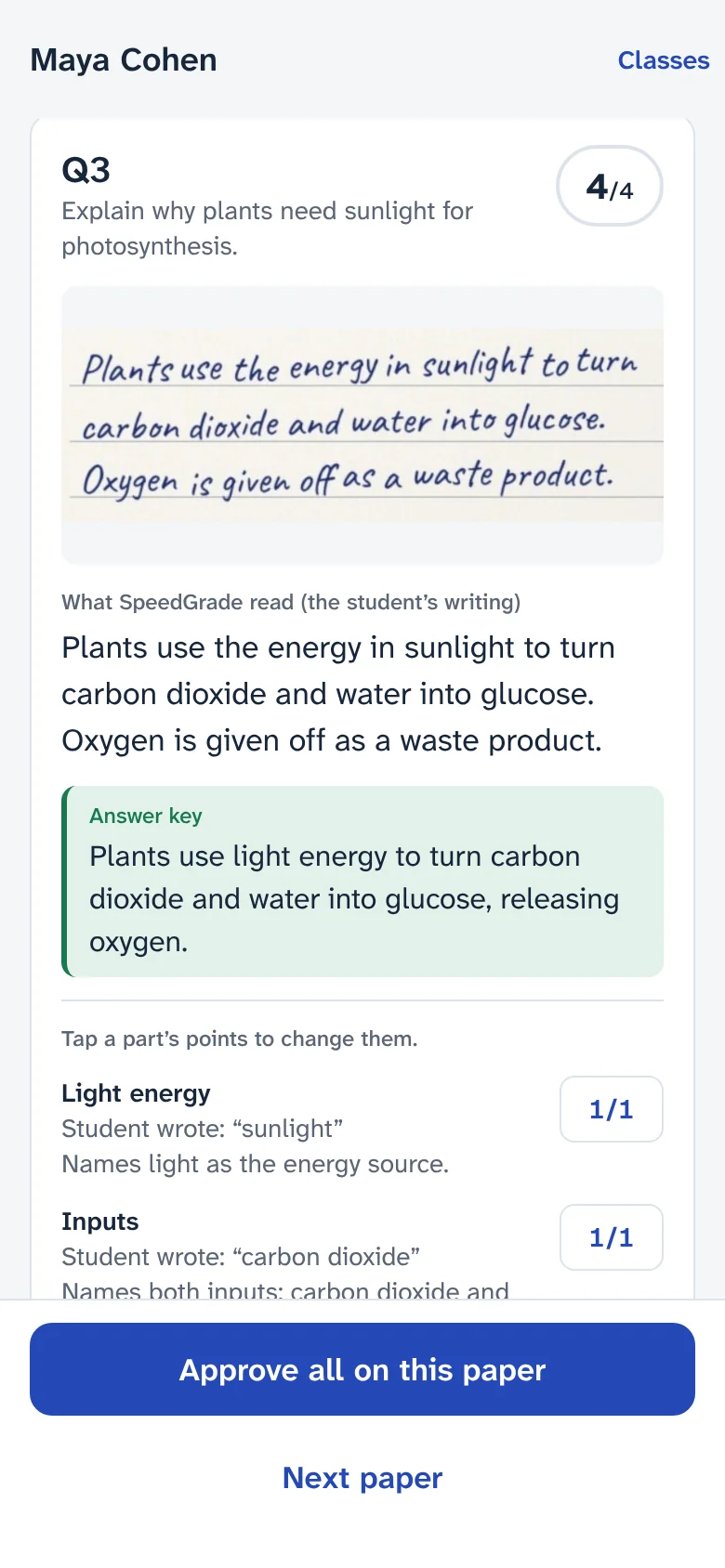
For Google Classroom and paper tests

Grade a class set in minutes. Approve every mark yourself.

SpeedGrade grades your students’ work against your answer key: multiple choice, written answers and handwritten tests. It shows you what it isn’t sure about, and nothing reaches a student until you approve it.

  • $3.00 of free grading
  • No card to start
  • No subscription
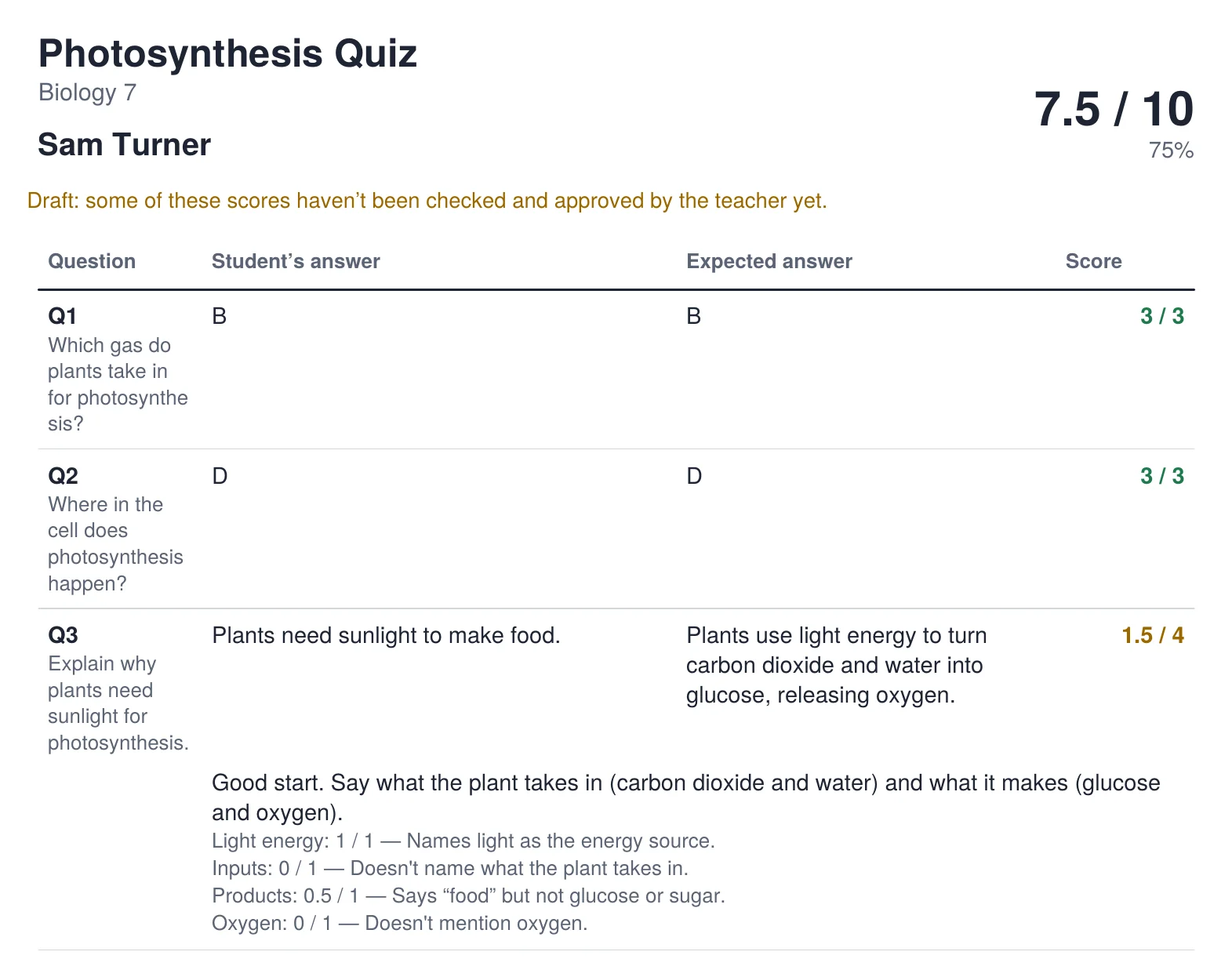
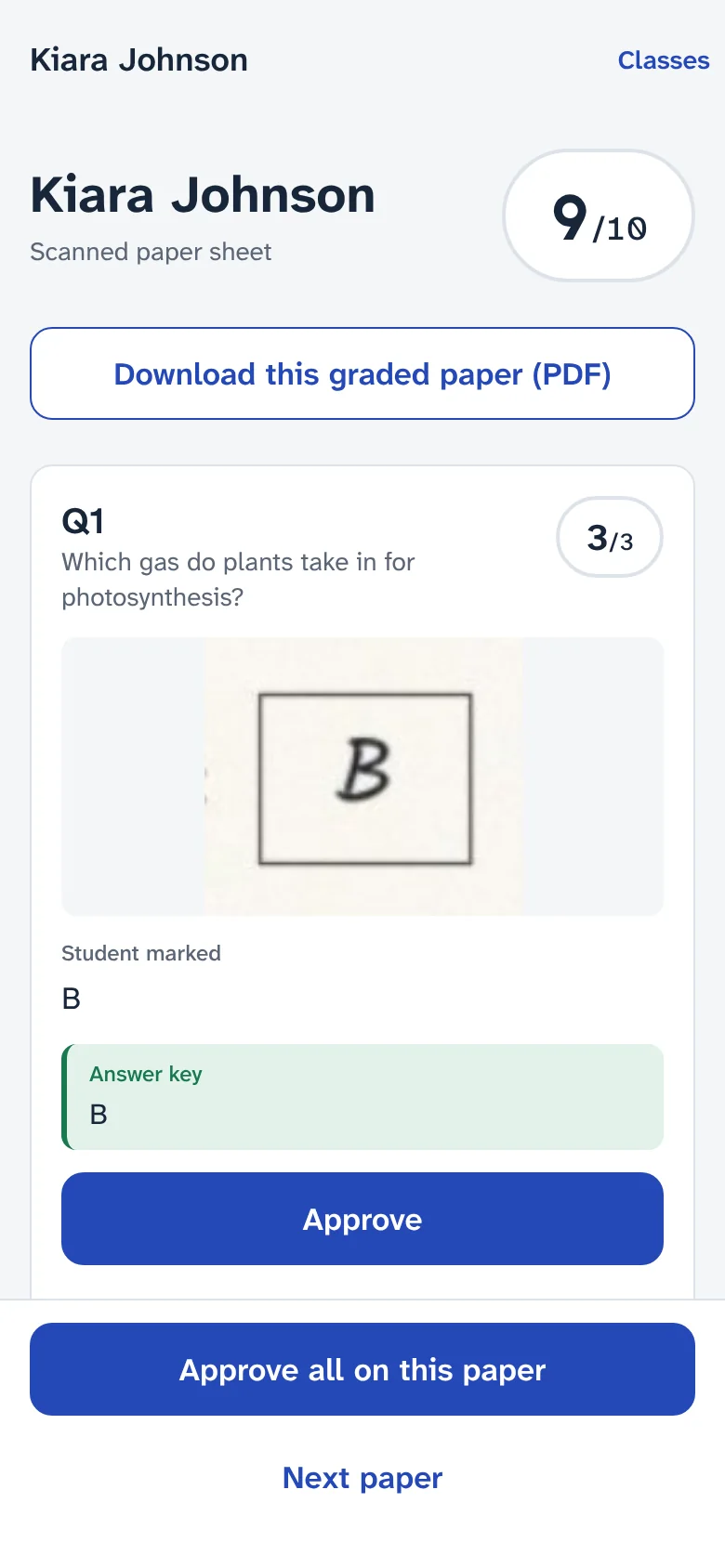
A graded paper PDF for one student: 7.5 out of 10, each question with the student’s answer, the expected answer, the score and feedback.
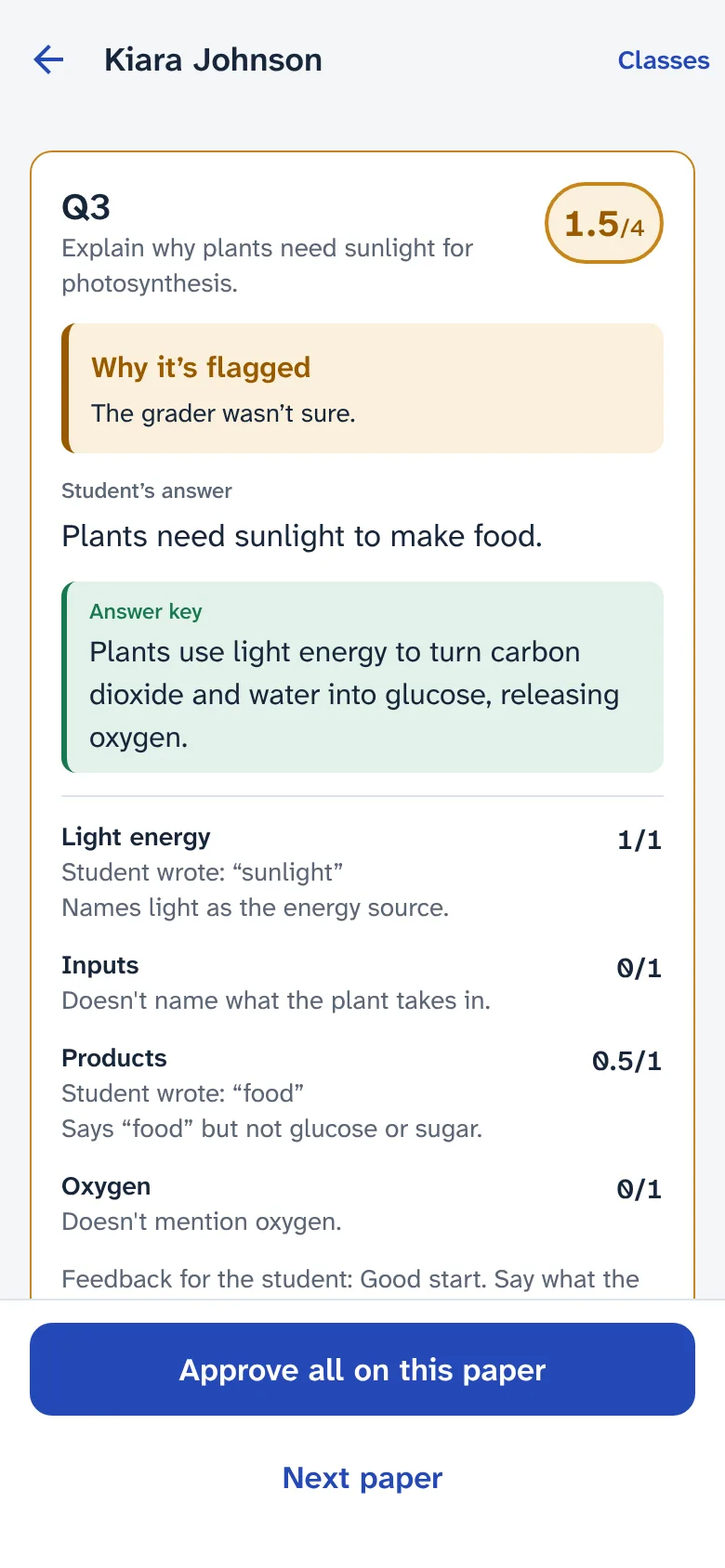
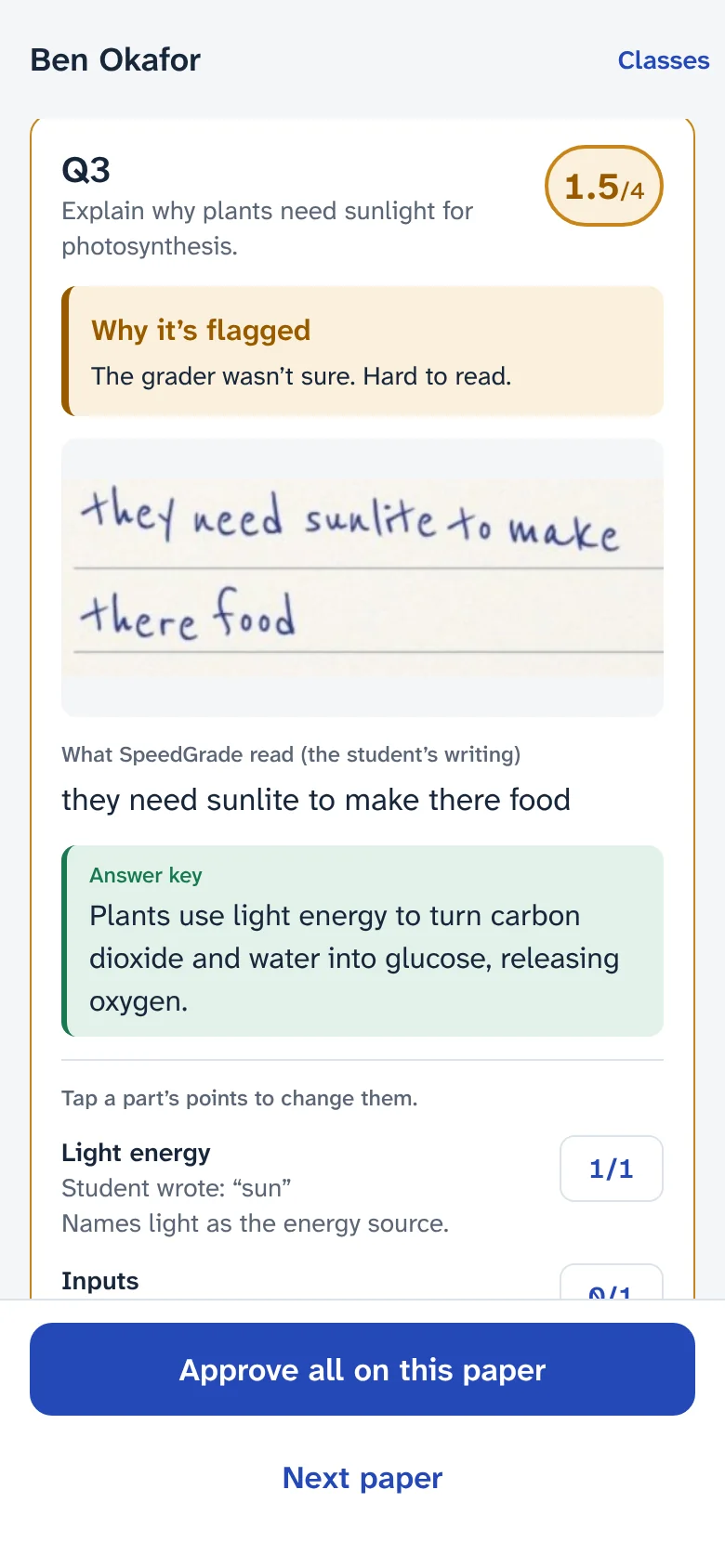
The SpeedGrade app showing a written answer scored 1.5 out of 4 and flagged for the teacher, with the answer key and a mark for each rubric point.
  • Google ClassroomPicks up turned-in work, sends grades back
  • Paper testsPhotograph pages or upload scans
  • Google DriveOne scanned file per student
  • iPhone, Android and webGrade wherever you are

12¢

per student paper, every answer graded

$3.00

for a class set of 25 papers

2¢

per paper of multiple choice only

0

grades sent to students without your approval

From a pile of papers to approved grades

Four steps, shown with the real app and a sample class.

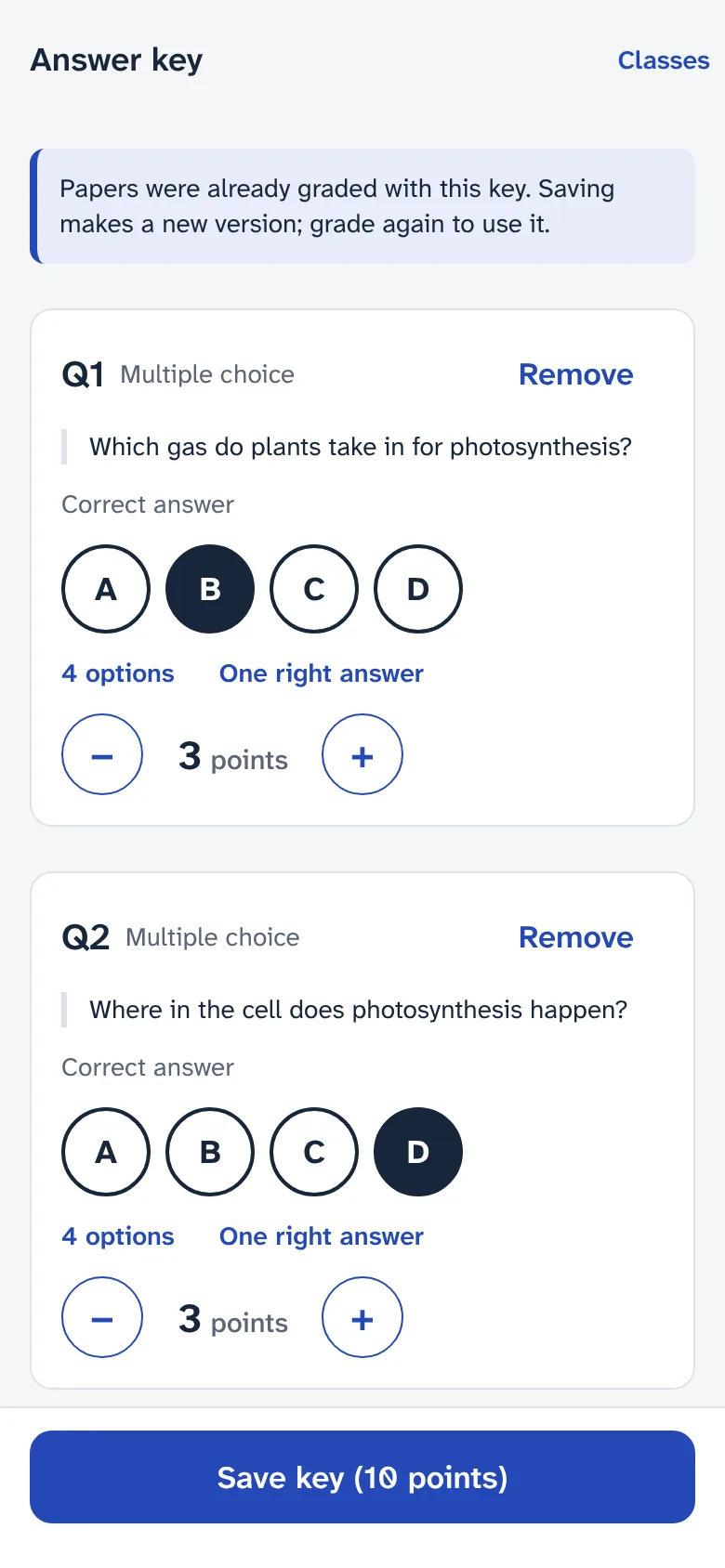
The answer key screen: question 1 with option B marked correct, worth 3 points.

Built around how teachers actually mark

Multiple choice is checked exactly. Written answers are marked the way you would, point by point.

  • Marks against your rubric

    Each rubric point gets its own mark, with the student’s words quoted as evidence and a line of feedback.

  • Flags what it isn’t sure of

    Unclear handwriting, very short answers and anything unusual wait for you, with the reason shown.

  • Reads handwriting

    Photograph a test of any length. Each numbered answer is read, and the student is found from the name on the paper.

  • Misreads are free to fix

    If a word was read wrongly, correct it and the answer is graded again at no charge.

  • Grades in the background

    Send a stack of papers and carry on. You get a notice when they’re graded.

  • Marked papers as PDFs

    Download each student’s graded paper, or the whole class at once, to hand back or keep.

Every mark comes with its reason

SpeedGrade doesn’t hand you a number and ask you to trust it. Each rubric point shows what the student wrote, why it earned the mark or didn’t, and the feedback the student will see.

  • The student’s words quoted as evidence
  • Feedback you can keep or rewrite
  • Change the score or fix the reading in one tap
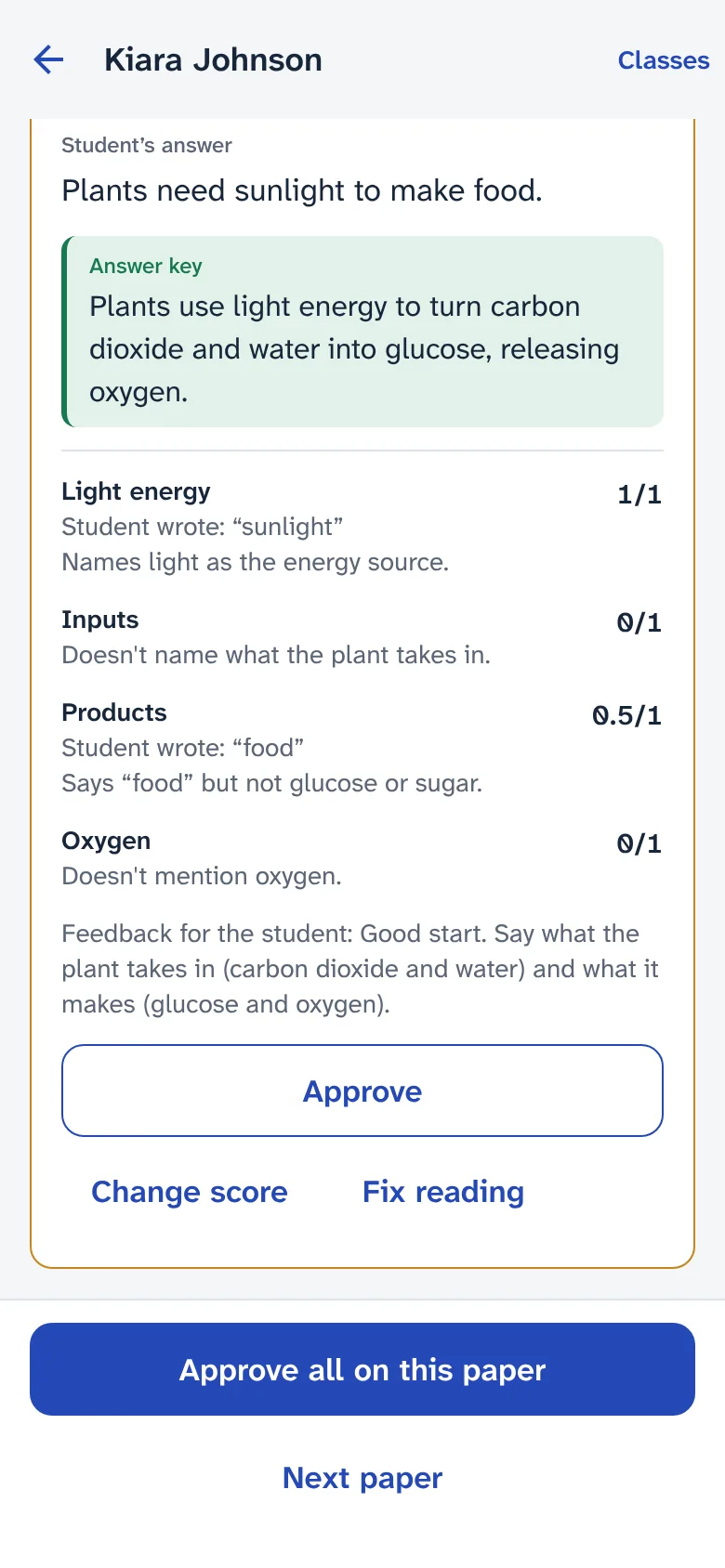
A written answer marked point by point, with feedback for the student and buttons to approve, change the score or fix the reading.

Hand back a marked paper, not just a number

Every student gets a clear PDF of their paper: their answers, the expected answers, the marks and your feedback. Download one, or the whole class in one file.

  • Shows which marks are still drafts
  • Rubric points spelled out for written answers
  • Ready to print, email or post in Classroom
A graded paper PDF: Photosynthesis Quiz, 7.5 out of 10, with each question’s answer, expected answer, score and feedback.

Paper tests, straight from your phone

No special answer sheets needed. Photograph each student’s pages or choose a stack of scanned files, one per student. SpeedGrade reads the name on each paper and matches it to your class.

  • Multi-page tests, PDFs and photos
  • Straight from Google Drive
  • Asks you when a name isn’t clear
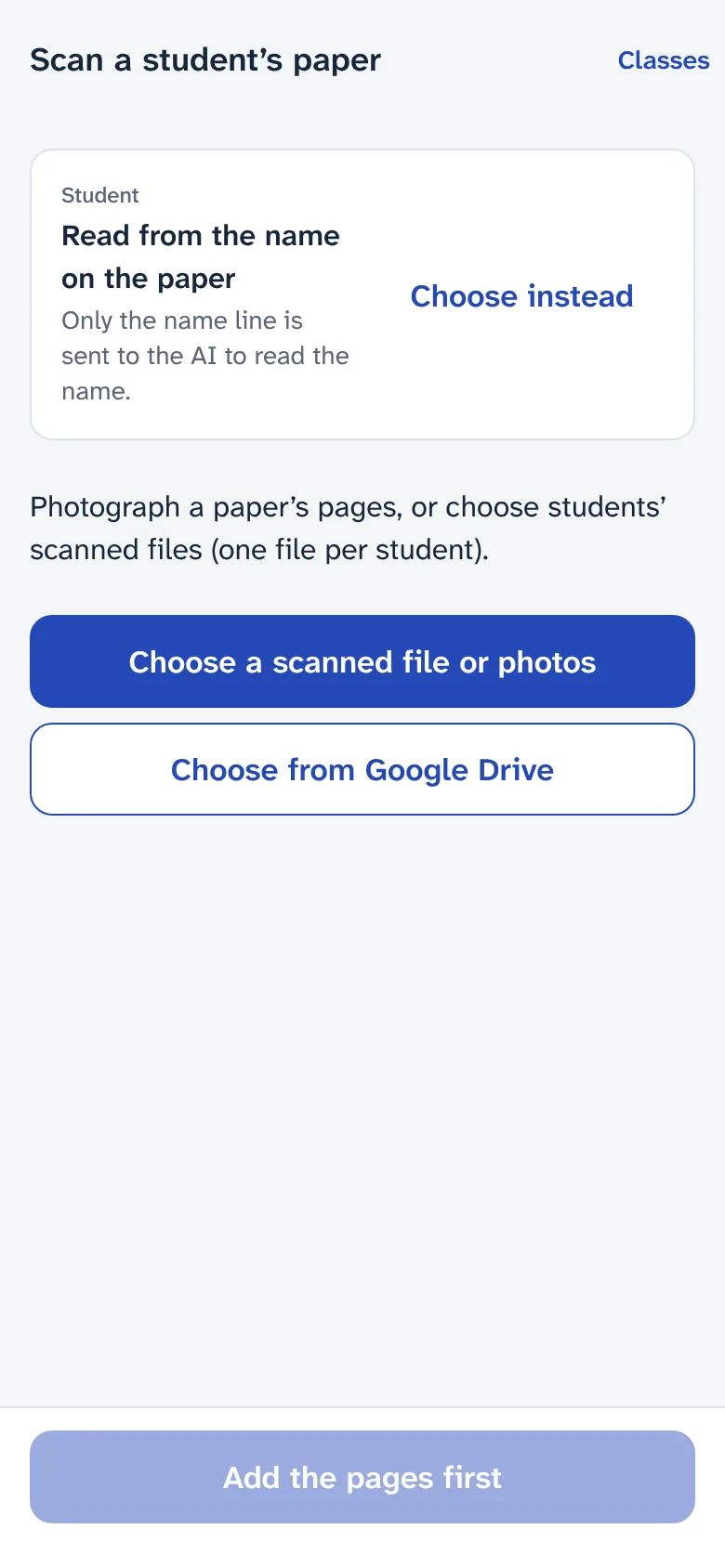
The scan screen: the student is read from the name on the paper; choose a scanned file or photos, or choose from Google Drive.

Reads what students hand in

Typed or handwritten, from Classroom or from paper.

Classroom short-answer and multiple-choice questions
Straight from Classroom
Google Docs, Word files and PDFs with typed text
The text, split by question number
Photos or scans of handwritten tests, any number of pages
Each numbered answer read by AI
Printed SpeedGrade answer sheets
Bubbles by image processing, handwriting by AI
Slides, Forms, links and video
Not read; listed so you can mark them yourself

Works with Google Classroom, or with no system at all

Connect Classroom and turned-in work arrives on its own. Grading paper tests or files? You don’t need a learning management system.

Google Classroom

Connected when you sign in with Google
  • Your classes and class lists come in on their own.
  • Turned-in work arrives as students submit it: Google Docs, Word files, PDFs and photos.
  • Approved grades go back as drafts only you can see, or as final grades.

Classroom accepts grades from SpeedGrade on assignments you create in SpeedGrade. For older assignments, download the grades and enter them in Classroom.

Connect Classroom

No LMS? No problem

Paper tests and files
  • Photograph paper tests, or choose scanned PDFs and photos from your phone or Google Drive.
  • Handwriting is read, and each student is found from the name on the paper.
  • Download grades as a spreadsheet (CSV), and a marked PDF for every student.

Use Canvas, Schoology, Blackboard or another system? Import the spreadsheet into its gradebook, and tell us which one you’d like connected next.

Tell us your system

Student work stays private

You’re trusted with your students’ work. SpeedGrade is built so that trust isn’t passed on to anyone else.

Read the privacy policy
  • Never used to train AIStudent work is used to grade it, and nothing else.
  • Names stay in ClassroomSpeedGrade keeps a coded id for each student and shows names only while you’re looking.
  • Your classes are yoursEach teacher’s classes are kept apart. SpeedGrade’s own staff tools show billing, not student work.
  • You approve every gradeSuggested marks are drafts until you approve or change them.

For teachers

Sign in, connect Classroom or photograph a test, and grade your first class set with $3.00 of free credit.

Start with free credit

For schools and departments

Running a pilot across several teachers? Read the school agreement, then write to us to set it up.

Pay only for what you grade

Buy credit when you need it. No subscription, no seats, no minimum term.

Pay as you go

Every new account starts with $3.00 free.

Graded paper, up to 4 pages: reading, every answer, feedback
12¢
Multiple choice only, nothing to read
2¢
Each page after 4
2¢
  • Charged once per paper, only when it’s graded
  • Retries, late answers and fixed misreads are free
  • Buy $10 to $500 at a time, by card through Stripe
Start with free credit

What a class set costs

25 students, each with a test of up to 4 pages: multiple choice and written answers.

25 papers at 12¢
$3.00
Whole class
$3.00

12¢ a student

Longer papers add 2¢ for each page after 4.

Questions teachers ask

Something else? Write to support@speedgrade.app.

No. You can photograph paper tests or choose scanned files, and SpeedGrade reads each student’s name from the paper. With Classroom, it picks up what students turned in and can send grades back.

Mark your next class set in minutes

Start with $3.00 of free grading: about 25 student papers.